



















Introduction
In the fast-moving world of eCommerce, your website’s performance isn’t just a technical concern—it’s a vital component of business success.
Shopify is a robust platform, but without optimization at the Liquid code level, even well-designed stores can experience slow load times, poor user engagement, and reduced conversions. This is where Shopify Liquid performance optimization techniques come into play.
Liquid is the backbone of Shopify themes. Every product detail, cart update, and homepage rendering relies on Liquid templates to deliver dynamic content.
But poorly structured code, excessive loops, and outdated assets can drag down site speed dramatically. Performance optimization requires deep technical expertise, disciplined code review, and strategic implementation.
This guide is crafted for Shopify store owners, developers, and decision-makers seeking to improve their store’s speed, maintainability, and performance using proven optimization tactics.
You’ll learn how to optimize Shopify Liquid files, implement Shopify theme performance optimization strategies, and reduce render time —resulting in a faster, cleaner, and more SEO-friendly Shopify store.
Understanding the Role of Shopify Liquid in Theme Performance
Shopify Liquid is a flexible teffectivelyemplating language that enables dynamic rendering of content within Shopify themes. It interacts with store data and user requests to generate customized pages in real time. While Liquid enables flexibility, its improper use can create inefficiencies and performance issues.

Common performance issues stem from:
- Overuse of Liquid loops and conditional logic
- Redundant rendering of sections and snippets
- Lack of caching for frequently accessed components
- Unoptimized use of Shopify’s for, unless, and if tags
- Heavy JavaScript and uncompressed CSS intertwined within Liquid files
A poorly optimized Shopify Liquid file can increase Time to First Byte (TTFB), block rendering, and ultimately frustrate users. Liquid optimization not only improves speed but also reduces load on Shopify servers and ensures seamless experiences across all devices.
Key Objectives of Shopify Liquid Code Optimization
A strategic Liquid optimization approach focuses on four core objectives:
Improve Page Load Speed
Reducing render and load time is essential for retaining visitors
and minimizing bounce rates. The goal is to eliminate any delay between user interaction and page rendering.
Reduce Redundant Code Execution
Eliminating duplicate logic, unused snippets, and
repetitive calls to objects helps streamline the rendering engine and shortens execution paths.
Enhance Maintainability
A well-structured theme codebase allows developers to debug,
scale, and update features without introducing regressions or performance dips.
Boost SEO and Core Web Vitals
Google considers speed and responsiveness in its ranking
algorithms. Optimized Liquid files contribute positively to LCP (Largest Contentful Paint), FID (First Input
Delay), and CLS (Cumulative Layout Shift).
Common Performance Bottlenecks in Shopify Themes
Poor performance often results from a combination of frontend inefficiencies and backend logic complexity. Key bottlenecks include:
- Over-nesting of Loops: For loops that iterate over collections (e.g., products, blogs, orders) can become nested and create excessive rendering depth. Use limit, offset, and pagination to minimize load.
- Uncached Sections: Re-rendering header, footer, or featured collections without caching leads to duplicated rendering overhead.
- Inline Logic and Filters: Running complex calculations and filters directly inside templates adds load on every request.
- Large, Uncompressed Images and Media: Heavy assets block the DOM and increase time to interaction.
- Third-party App Scripts: Scripts injected by third-party apps can block critical rendering paths and impact performance across multiple pages.
Opal Infotech specializes in diagnosing and resolving these bottlenecks using advanced Liquid profiling and theme restructuring techniques.
As a certified Shopify website development company, our team ensures that every optimization aligns with performance goals and Shopify’s best practices.

Let’s Chat

Shopify Liquid Best Practices for Optimal Performance
Here’s how Shopify theme performance optimization is done right:
Optimize Loops and Conditional Statements
Loops like for product in collection.products should use constraints such as limit: 4 and sort_by to reduce processing. Use unless and elsif wisely to prevent multiple evaluations.
Avoid nesting multiple for loops when a filter can serve the same function. Refactor conditions into simple, readable logic blocks that execute quickly.

Leverage the `render` Tag Over `include`
Replacing the older include tag with render in Shopify Liquid improves performance because render uses its own variable scope. This avoids cross-scope pollution and unnecessary re-evaluation of variables.

Use Section Caching Where Appropriate
Caching reusable sections like headers, footers, and navigation menus prevents them from being reprocessed on every page load.
Liquid doesn’t support native caching, but techniques such as duplicating minimal logic across files or storing frequently-used data in JSON metafields can simulate the effect.

Defer and Minify JavaScript and CSS
Reduce dependency on external stylesheets and scripts. Use asynchronous loading (async, defer) and bundle critical JS for top-of-page interactions. Compress CSS/JS through tools like UglifyJS and CSSNano before embedding them.
Avoid Inline Images and Use WebP
Shopify now supports the WebP format natively. Convert large PNG or JPEG files into WebP for smaller file sizes and faster rendering. Avoid base64 inline images in Liquid files as they can bloat the page source.

Audit and Clean Up Old Snippets
Many themes accumulate outdated snippets and logic from previous versions or removed features. These unused components add complexity without value. Perform regular code audits and delete obsolete blocks to keep your theme lean.
Minimize Use of Complex Filters in Liquid
Filters like sort, map, and uniq should be used cautiously. For instance, collection.products | sort: ‘price’ may trigger server-side processing that can be avoided through built-in sorting settings.
Opal Infotech provides professional Shopify theme speed optimization service, using automated and manual analysis to identify such filters and recommend faster alternatives.

Opal Infotech provides professional Shopify theme speed optimization service, using automated and manual analysis to identify such filters and recommend faster alternatives.
Advanced Shopify Speed Optimization Techniques
Eliminate Render-blocking Assets
Render-blocking JavaScript and CSS delay page visibility, negatively affecting First Contentful Paint (FCP) and Largest Contentful Paint (LCP).
Identify these assets using Google PageSpeed Insights and move them to load asynchronously. Place non-critical scripts in the footer and defer loading until after the page becomes interactive.
Theme optimization is not limited to Shopify’s core files. Many third-party apps inject scripts synchronously, halting page load.
Removing unused app code and loading necessary scripts asynchronously significantly improves load speed and responsiveness.
Use Critical CSS and Lazy Loading
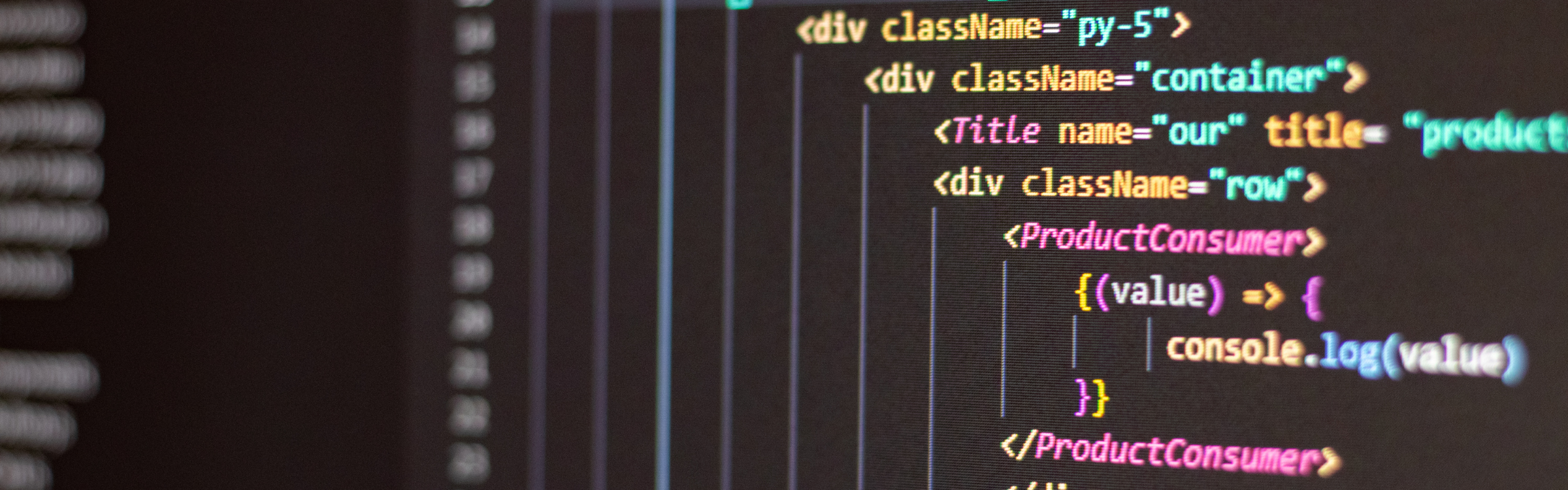
Critical CSS refers to the CSS required to render above-the-fold content. Extract this CSS into a separate, high-priority file and load it early in the document. Defer non-critical CSS to reduce render time.
Lazy loading should be implemented on product images, banners, and sections below the fold. Shopify supports lazy loading through the loading=”lazy” Shopify attribute on images and iframes, which helps reduce initial page load times by deferring the loading of assets that aren’t immediately visible.

Limit the Use of JavaScript-Heavy Animations
Animations add aesthetic value but can compromise performance, especially on mobile devices. Avoid excessive use of parallax effects, sliders, or transitions built on heavy JavaScript libraries. Use CSS-based animations for lightweight visual enhancements.
Opal Infotech ensures that all Shopify theme performance enhancements are mobile-first, prioritizing speed across all screen sizes.

Optimize Shopify’s JSON-LD and Structured Data
Structured data is essential for SEO but should be implemented efficiently. Avoid redundant JSON-LD scripts on multiple pages. Optimize schema generation using lightweight Liquid logic and keep output minimal.
Shopify SEO agencies like Opal Infotech integrate clean structured data formats to support rich search results without compromising site speed.

Consolidate Shopify Assets Strategically
Large Shopify themes often load multiple JavaScript and CSS files, many of which perform redundant functions.
Consolidate related assets into single files where possible. Avoid loading page-specific assets on global pages.
This reduces HTTP requests and minimizes the time to render interactive elements. Tools like Shopify’s Theme Inspector help identify which assets load on which pages and whether they are critical or redundant.
Real Feedback, Real Results
“We worked with Opal Infotech almost for one year for different projects like Magento website design and all related functional extensions and even different server management and so on…. We are really impressed with their jobs. Excellent knowledgeable support and live communication made Opal Infotech to be different than other software companies. We definitely recommend this company for any software development.”
Alex Lahijani – Canada


Why Shopify Site Speed Directly Impacts Conversions
Every second of delay in page load time can lead to a significant drop in conversion rate. Industry studies show that even a 1-second delay in page response can lead to a 7% drop in conversions. On high-traffic Shopify stores, this equates to thousands in lost revenue monthly.
Beyond direct revenue impact, site speed also affects:
- Search Engine Rankings: Google prioritizes fast-loading sites.
- Bounce Rates: Slow pages lead users to abandon your store.
- Mobile Experience: Majority of traffic originates from mobile—performance here is crucial.
- Customer Satisfaction: Fast sites build trust and keep customers returning.
Shopify Liquid performance optimization is not just technical housekeeping—it’s a business growth strategy.
Opal Infotech leverages over two decades of web development experience to ensure measurable improvement in store speed and user experience.
Performance Optimization Services by Opal Infotech

Comprehensive Liquid Code Audit
Every Shopify optimization project begins with a deep audit of the theme’s Liquid files. We analyze:
- File structure
- Snippet usage
- Loop efficiency
- Asset loading
- Inline logic complexity
- App script injection
- Caching opportunities
This audit forms the foundation of our Shopify performance optimization service and is tailored to your store’s theme and customization level.

Theme Refactoring and Cleanup
Post-audit, we systematically clean and refactor the code:
- Remove deprecated tags and unused snippets
- Reorganize sections and blocks for better hierarchy
- Implement best practices in render usage
- Replace inefficient filters with performant logic
- Optimize JSON templates for modern storefront APIs
The outcome is a cleaner, faster, and scalable Shopify theme that’s easier to maintain and future-proof.
Speed-Focused Asset Management
Our team ensures all media, JavaScript, and CSS assets are optimized:
- Convert media to WebP for faster delivery
- Compress all images with modern compression tools
- Defer and minify scripts and stylesheets
- Prioritize above-the-fold content
- Audit and eliminate unnecessary app scripts
We prioritize page speed without compromising design, ensuring a seamless visual experience across devices.

Ongoing Maintenance and Monitoring
Performance isn’t a one-time task. Our Shopify maintenance services include continuous monitoring of the following:
- Load times
- App script behavior
- Theme compatibility with new Shopify releases
- Core Web Vitals updates
- New performance threats or regressions
Clients benefit from quarterly audits and proactive optimization strategies, keeping the site ahead of industry benchmarks.
SEO Alignment with Speed Enhancements
We are also a full-service Shopify SEO agency, and every performance update is aligned with SEO goals:
- Minified structured data
- Mobile-first loading
- Fast response times for crawling
- Optimized sitemaps and canonical tags
- Lighthouse scoring improvements
This dual focus ensures that your store performs not just for users, but also for search engines.
Conclusion
Shopify Liquid performance optimization is no longer optional—it’s an essential strategy for any online business aiming for growth, retention, and higher rankings.
By streamlining your Liquid code, optimizing assets, and enforcing best practices, you transform your store into a lean, fast, and revenue-generating platform.
Opal Infotech brings unmatched expertise to the table, blending Shopify Liquid development techniques with performance analytics and SEO strategy.
Whether you’re experiencing load issues or want to future-proof your Shopify store, we are your trusted partner.
Reach out today and let our team enhance your Shopify store’s performance with precision and care.

FAQs
Shopify Liquid Performance Optimization Techniques for Enhanced Store Speed
How can I optimize Liquid code in my Shopify store?
To optimize Liquid code, you should reduce loops, use <span class="text-success fst-italic">render</span> instead of <span class="text-success fst-italic">include</span>, implement section caching, and avoid inline logic complexity. Working with an expert Shopify performance optimization service ensures these changes are done without breaking your theme.
What causes slow Shopify theme performance?
Common causes include excessive use of loops, unoptimized images, redundant JavaScript, unused theme code, and third-party app scripts. A performance audit helps pinpoint exact causes and solutions.
Does optimizing Liquid code improve SEO?
Yes. Optimized Liquid code improves site speed, which is a ranking factor for Google. It also enhances Core Web Vitals, positively affecting visibility and user engagement.
How do I know if my Shopify store needs optimization?
If your pages load in more than 3 seconds, bounce rates are high, or you're seeing low PageSpeed or Lighthouse scores, your store likely needs optimization. A Shopify Liquid optimization expert can perform a full code and performance audit.
Can Opal Infotech help with ongoing Shopify maintenance?
Yes. Opal Infotech provides Shopify maintenance services including performance monitoring, codebase audits, theme updates, and SEO alignment to ensure long-term site health and performance.
What Our Customers Say
“Excellent One Stop Web Solutions with all services under one roof. Apart from being Google Partners, Opal Infotech provides all basic and advance services like SEO based Website design, Mobile app development & Digital/SM Marketting as well. The Services are prompt & Value for money, additionally the Staff is understanding, cooperative and patient enough to give you round the clock support. All and all the First Choice for people who are trying to develop their system by themselves, do what you do best, leave the rest on Opal Infotech.”
NLP Ashish Nagar – India
About Opal Infotech
Opal Infotech is a leading global technology and digital solutions provider, offering a wide range of services to help businesses navigate the complexities of the digital world.
Beyond our expertise in eCommerce solutions, Opal Infotech excels in custom web development, mobile app development, and enterprise software solutions.
Our team specializes in creating responsive, user-friendly websites and mobile applications tailored to meet the specific needs of each client.
Additionally, Opal Infotech offers robust IT consulting services, helping businesses optimize their technology infrastructure, enhance security, and streamline operations.
We also provide digital marketing services, including SEO, social media marketing, and content strategy, ensuring that clients achieve high visibility and engagement across digital platforms.
With a focus on innovation and customer satisfaction, Opal Infotech empowers businesses to drive growth, improve efficiency, and stay ahead in an ever-evolving digital landscape.

With a digital legacy established in 1998, the editorial team at Opal Infotech combines decades of experience with cutting-edge innovation. As a premier Web Development and Digital Marketing agency, we specialize in crafting robust digital solutions – ranging from Custom Web Development and eCommerce platforms to Mobile Apps and Business Website Design. Today, Opal Infotech is at the forefront of the technological shift, helping businesses integrate AI SEO and AI Business Solutions alongside traditional powerhouses like Google Ads and Website Maintenance. Our goal is to translate complex tech trends into actionable growth strategies for global enterprises.
We publish articles to empower business owners with the clarity needed to make informed decisions in a complex digital landscape. Our technical content is designed to demystify high-level innovations like AI and SEO, translating code into actionable business growth strategies.